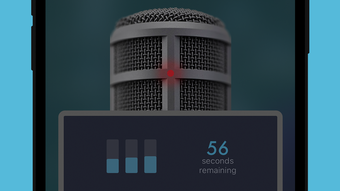

Join the Global Conversation with YapSpot
Overview
YapSpot is a social networking application designed for iPhone users, offering a unique blend of real-time voice broadcasting and interactive communication. Developed by Dan Jacoby, the app reimagines traditional party line and CB radio concepts for the modern digital era. By enabling users to both listen to and broadcast live audio messages, YapSpot facilitates immediate, unfiltered conversations across geographical boundaries. It serves as a platform for spontaneous dialogue, community engagement, and real-time information sharing, making it ideal for individuals seeking dynamic, voice-driven interactions.
The app is particularly suited for users interested in global conversations, spontaneous discussions, or those who prefer voice over text-based communication. Real-world use cases include joining live discussions during events, sharing updates from remote locations, or connecting with others in similar interest groups. The ability to broadcast and respond in real time allows for immediate feedback and interaction, fostering a sense of presence and community. The integration of a map-based interface further enhances situational awareness, allowing users to tune into conversations from nearby or across the world. This functionality supports both casual and purpose-driven communication, from social gatherings to information dissemination.
Key Features & Capabilities
- Real-Time Voice Broadcasting: Users can speak into the app and be heard by others in real time, creating a live, interactive conversation environment.
- Global and Local Listening: The map feature enables users to discover and listen to broadcasts from anywhere in the world or within a defined scanning range.
- Speech-to-Text Transcription: Broadcasts are automatically transcribed, allowing users to read conversations they may have missed or prefer to consume textually.
- Interactive Engagement: Users can reply, like, and share broadcasts, fostering community interaction and content discovery.
- Dynamic Map Integration: The map follows the user’s location, updating available broadcasts based on proximity or user-defined regions.
- Community Building: Users can identify and follow favorite broadcasters, creating personalized listening experiences and long-term connections.
These features support diverse use cases, such as real-time event coverage, peer-to-peer information sharing, or casual socializing. The combination of live voice and text transcription ensures accessibility and flexibility, accommodating different communication preferences. The interactive nature of the platform encourages active participation rather than passive consumption, making it ideal for users who value immediacy and authenticity in digital conversations.
User Interface, Workflow & Performance
The user interface of YapSpot appears to be designed with simplicity and real-time responsiveness in mind. The core workflow centers around the map, which serves as the primary navigation hub. From this view, users can explore nearby or global broadcasts, initiate their own transmissions, and engage with content through intuitive controls. The layout likely prioritizes accessibility, placing key functions such as broadcast, reply, and transcription access within easy reach.
Given the nature of live voice interaction, the app’s performance hinges on stable network connectivity and efficient audio processing. The developer did not specify resource usage details, so actual CPU or RAM behavior remains unknown. However, based on general software behavior patterns, performance is expected to remain consistent under normal conditions, with responsiveness dependent on internet speed and device capabilities. Stability during continuous use has not been publicly documented, but the app’s design suggests a focus on smooth, uninterrupted interaction. The absence of reported crashes or performance issues in available sources indicates a functional user experience, though real-world testing would be necessary to confirm long-term reliability.
Compatibility & System Requirements
YapSpot is designed exclusively for the iPhone platform and is compatible with devices running the latest supported version of iOS. The app has a file size of 28.2 MB, indicating a lightweight installation that should not significantly impact storage space. The developer did not provide additional system requirements, so exact hardware specifications or minimum OS versions are not available. Users should ensure their device is running a compatible iOS version to avoid installation issues.
Compatibility with older iPhone models or specific hardware features such as microphones or GPS was not specified. The app’s reliance on location-based services suggests that GPS functionality is required for full map integration. However, the exact requirements for audio input, network connectivity, and background operation were not detailed. Users are advised to verify compatibility with their device before downloading.
Pros and Cons
Pros
- Unique real-time voice broadcasting model for interactive social engagement
- Map-based interface enables location-aware listening and broadcasting
- Speech-to-text transcription improves accessibility and content retention
- Supports both global and localized conversations
- Free to download and use with no in-app purchase barriers
Cons
- Exclusive to iPhone, limiting cross-platform accessibility
- Exact system requirements and hardware dependencies not disclosed
- Performance under heavy network load or prolonged use not verified
- No information on privacy controls or data handling practices
- Dependent on stable internet connection for real-time functionality
How does YapSpot work?
YapSpot allows users to broadcast live voice messages and listen to others in real time. The app uses a map interface to display available broadcasts based on location or global reach. Users can reply, like, and share content, creating an interactive experience.
Is YapSpot safe to use?
While the app is developed by a known individual and operates on the iPhone platform, no public information is available regarding data encryption, privacy policies, or security measures. Users should exercise caution when sharing personal information during broadcasts.
Can I use YapSpot offline?
YapSpot requires an active internet connection to broadcast, listen, or access live content. Offline functionality is not supported, as the app relies on real-time data transmission.
Does YapSpot offer updates?
Yes, the app has received updates, with the latest version being 1.2.3. Regular updates are expected to improve functionality and address potential issues.
What type of license does YapSpot have?
YapSpot is available for free and does not require a paid license. The developer has not specified a formal software license type, but the app is accessible without subscription or purchase.
Final Thoughts + CTA
YapSpot stands out in the social networking space by offering a novel, voice-first approach to digital communication. Its fusion of party line nostalgia with modern real-time interaction creates a distinctive user experience. The map-driven interface, speech-to-text feature, and ability to broadcast globally or locally make it a compelling tool for those seeking authentic, spontaneous conversations. While the app is limited to iPhone users and lacks detailed system information, its core functionality is well-executed and accessible.
For users who value voice-based interaction, real-time engagement, and global connectivity, YapSpot delivers a unique and immersive platform. It’s particularly well-suited for event participants, remote communities, and individuals who prefer speaking over typing. The free model enhances accessibility, allowing broad adoption without financial barriers.
Download YapSpot now







